Skip to content

返回 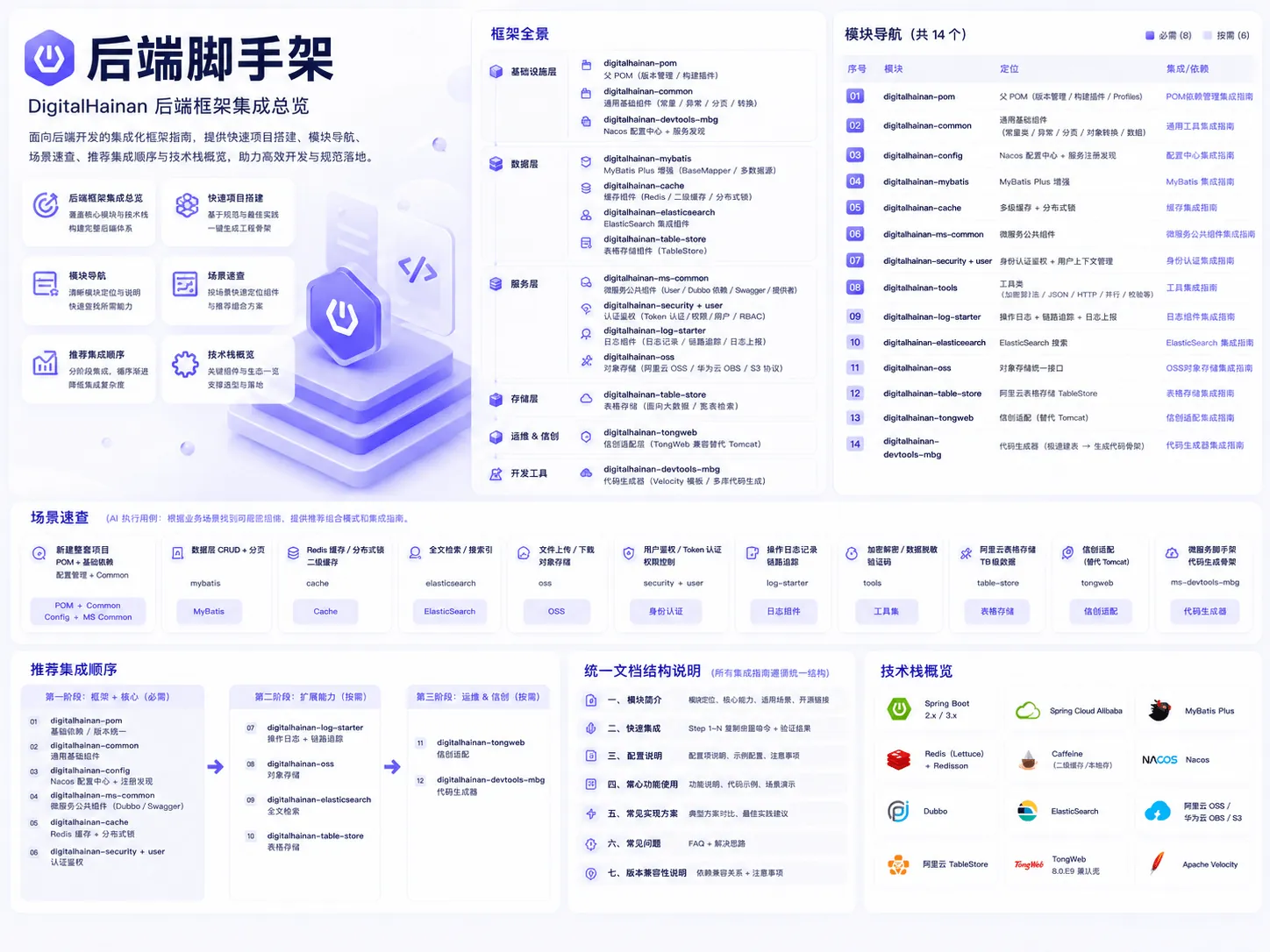
后端脚手架
脚手架DigitalHainan Spring 微服务框架脚手架与集成指南,覆盖 POM、缓存、MyBatis、认证、OSS 等核心模块。
概述
digitalhainan-table-store
本文档用于指导在目标项目中完成
digitalhainan-table-store模块集成。执行顺序:
- 先完成「11.1.2 快速集成」的全部步骤(必须)
- 根据业务需求,查阅「功能集成决策索引」选择对应路径,逐项实现
- 遇到配置问题时参考「11.1.3 配置属性参考」
- 出现异常时查阅「11.1.6 常见问题」
代码约定: 所有代码示例均包含完整
import路径和类声明,可直接用于代码生成。
11.1.1 模块简介
digitalhainan-table-store(artifactId: digitalhainan-table-store-spring-boot-starter)是数字海南框架的阿里云表格存储(TableStore)组件,提供:
- 注解驱动模型 —
@Table、@Primary、@Attribute、@Ignore注解映射表格存储表结构 - TableStoreMapper — 泛型 CRUD 接口,支持插入、删除、单行查询、范围查询、分页查询
- 多客户端 — 支持配置多个 TableStore 实例
- 类型处理器 — 自动处理 String/Integer/Long/Double/Float/Boolean/byte[] 类型转换
- ModelWrapper — 模型包装类,封装主键、行变更、范围查询等请求
Maven 坐标:
xml
<dependency>
    <groupId>cn.com.digitalhainan.common</groupId>
    <artifactId>digitalhainan-table-store-spring-boot-starter</artifactId>
    <version>1.0.0-SNAPSHOT</version>
</dependency>注意: 此模块 groupId 为
cn.com.digitalhainan.common,版本号独立管理(1.0.0-SNAPSHOT),不在 digitalhainan-pom 统一管理范围内。
前置依赖: 无框架内依赖,独立模块。
当前版本: 1.0.0-SNAPSHOT
11.1.2 快速集成
11.1.2.1 添加依赖
xml
<dependencies>
    <dependency>
        <groupId>cn.com.digitalhainan.common</groupId>
        <artifactId>digitalhainan-table-store-spring-boot-starter</artifactId>
        <version>1.0.0-SNAPSHOT</version>
    </dependency>
</dependencies>11.1.2.2 配置 TableStore 连接(application.yml)
yaml
digitalhainan:
  table-store:
    clients:
      default:
        endpoint: https://your-instance.cn-hangzhou.ots.aliyuncs.com
        access-key-id: YOUR_AK
        access-key-secrete: YOUR_SK
instance-name: your-instance11.1.2.3 验证清单
- [ ] Spring Boot 启动成功
- [ ] SyncClient Bean 已注册
- [ ] TableStoreMapper 可注入
11.1.3 配置属性参考
| 配置键 | 类型 | 说明 |
|---|---|---|
digitalhainan.table-store.clients.{name}.endpoint | String | TableStore 服务地址 |
digitalhainan.table-store.clients.{name}.access-key-id | String | 阿里云 AccessKey ID |
digitalhainan.table-store.clients.{name}.access-key-secrete | String | 阿里云 AccessKey Secret |
digitalhainan.table-store.clients.{name}.instance-name | String | TableStore 实例名称 |
{name}为客户端名称,可配置多个(如 default、secondary)。
11.1.4 核心功能使用
功能集成决策索引
| 需求场景 | 参考章节 |
|---|---|
| 定义表格存储实体模型 | 4.1 注解定义实体 |
| CRUD 操作 | 4.2 TableStoreMapper |
11.1.4.1 注解定义实体
java
package com.example.entity;

import cn.com.digitalhainan.common.table.store.annotation.Table;
import cn.com.digitalhainan.common.table.store.annotation.Primary;
import cn.com.digitalhainan.common.table.store.annotation.Attribute;
import cn.com.digitalhainan.common.table.store.annotation.Ignore;

/**
 * 表格存储实体示例
 *
 * @Table: 指定对应的表格存储表名
 * @Primary: 标记字段为表主键(value 为 OTS 中的主键列名)
 * @Attribute: 标记字段为属性列(value 为 OTS 中的属性列名)
 * @Ignore: 标记字段不映射到 OTS
 */
@Table("user_profile")
public class UserProfile {

    @Primary("user_id")
    private String userId;

    @Primary("create_time")
    private Long createTime;

    @Attribute("user_name")
    private String userName;

    @Attribute("email")
    private String email;

    @Attribute("age")
    private Integer age;

    @Ignore
    private String tempField;  // 不会映射到表格存储
}11.1.4.2 TableStoreMapper — CRUD 操作
java
package com.example.service;

import cn.com.digitalhainan.common.table.store.mapper.TableStoreMapper;
import com.alicloud.openservices.tablestore.model.Direction;
import com.example.entity.UserProfile;
import org.springframework.stereotype.Service;

import java.util.List;

/**
 * TableStoreMapper 使用示例
 * 支持:insert / delete / select / selectList / selectPage
 */
@Service
public class UserProfileService {

    private final TableStoreMapper<UserProfile> mapper;

    public UserProfileService(TableStoreMapper<UserProfile> mapper) {
        this.mapper = mapper;
    }

    public void save(UserProfile profile) {
        mapper.insert(profile);
    }

    public void remove(UserProfile profile) {
        mapper.delete(profile);
    }

    public UserProfile findById(UserProfile query) {
        return mapper.select(query);
    }

    public List<UserProfile> findRange(UserProfile start, UserProfile end) {
        return mapper.selectList(start, end, Direction.FORWARD);
    }

    public List<UserProfile> findPage(UserProfile start, UserProfile end, int pageNo, int pageSize) {
        return mapper.selectPage(start, end, pageNo, pageSize, Direction.FORWARD);
    }
}11.1.5 版本变更记录
v1.0.0-SNAPSHOT(当前版本)
- 初始化版本
- 注解驱动模型映射
- TableStoreMapper CRUD
- 多客户端支持
- 类型处理器
11.1.6 常见问题
Q1:启动报错 "SyncClient 无法创建"?
原因: endpoint/accessKeyId/accessKeySecret/instanceName 配置缺失。 解决: 检查 digitalhainan.table-store.clients.default 下的四项配置是否完整。
Q2:@Primary 注解的字段类型不支持?
原因: TableStore 主键仅支持 String/Integer(Long)/byte[] 类型。 解决: 确保 @Primary 标记的字段类型为 String 或 Long。
Q3:TableStoreMapper 无法注入?
原因: 未正确配置自动扫描。 解决: 确保 cn.com.digitalhainan.common.table.store 包在 Spring Boot 组件扫描范围内。
11.1.7 版本兼容性矩阵
| digitalhainan-table-store | Spring Boot | JDK | TableStore SDK | 说明 |
|---|---|---|---|---|
| 1.0.0-SNAPSHOT | 2.x | 8+ | 5.4.0 | 独立版本,javax 命名空间 |